Barcode Picking, Warehouse Scanners, and Pick-to-Light
Barcode scanners and pick-to-light systems are two of the most effective tools in warehouse fulfillment. Used independently, each improves speed and accuracy. Combined, they create a closed-loop execution workflow where every pick is guided, confirmed, and recorded in real time.
This guide covers how warehouse barcode scanners work, why they're the right tool for picking locations and SKUs, and how pairing them with light-directed picking eliminates paperwork and drives measurable KPI improvements. (For tracking RFID tags — serial numbers, lot numbers, IMEIs — see our companion guide on RFID scanners.)
Two Questions About Any Warehouse Scanner
1. What does it read?
Printed barcodes & QR codes, or RFID tags. Two different technologies, read by two different devices.
2. How does it connect?
Wired (corded) or wireless. A wireless scanner is often called an "RF scanner" or "WiFi scanner."
RF is not RFID. RF (radio frequency) describes the wireless connection; RFID (radio-frequency identification) is a tag technology read by a different device. Same root words, completely different things — an "RF scanner" is almost always a wireless barcode scanner, not an RFID reader.
In This Guide
What Is a Barcode Scanner?
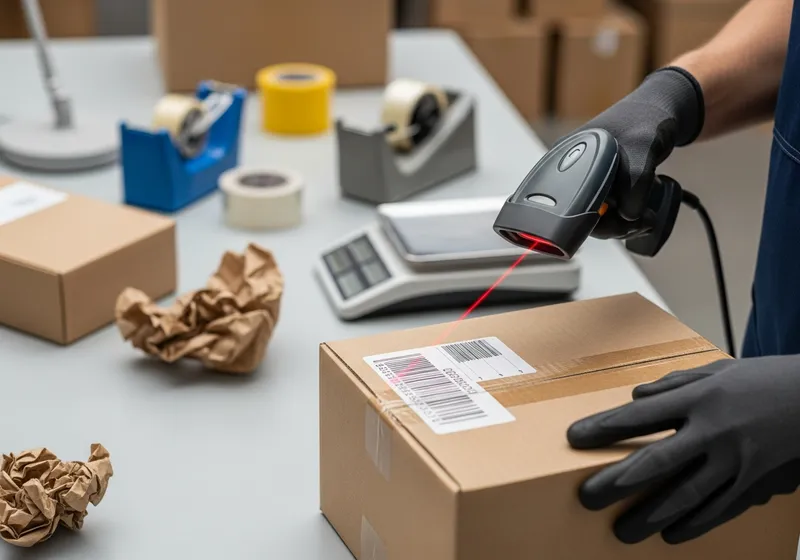
A barcode scanner is an optical reader that decodes printed barcodes — 1D linear codes (like Code 128 or UPC) and 2D matrix codes (like QR or Data Matrix) — and sends the decoded text to a connected system. In a warehouse, that connected system is typically a WMS, ERP, or pick-to-light controller, and the scanned data identifies locations, SKUs, UPCs, order numbers, or tote IDs.
Most modern warehouse barcode scanners are wireless — they transmit decoded data over Wi-Fi or Bluetooth back to the host. The wireless link is sometimes loosely called "RF" (radio frequency), which is where the misnomer "RF scanner" comes from — see our guide to warehouse RF scanners for the full breakdown. Technically, an RFID scanner is a different device entirely: it reads RFID tags, not printed barcodes. We cover the distinction in the next section.
Real-Time Data
Every scan updates inventory and order status instantly across the system
Zero Paperwork
From order generation to packing, scanning replaces paper pick tickets entirely
Error Reduction
Scan-to-confirm workflows catch wrong items before they leave the shelf
Barcode Scanners vs RFID Scanners
People sometimes use "RFID scanner" and "barcode scanner" interchangeably — but they're two different devices with two different jobs. (A wireless barcode scanner is often nicknamed an "RF scanner" — that's a connection method, not the same thing as RFID. See the terminology callout near the top of this page.) For day-to-day picking, you almost always want barcode scanners. RFID earns its place in specific tracking scenarios.
Barcode Scanner
Best for picking
- • Reads printed barcodes optically
- • Identifies locations, UPCs, SKUs, order numbers
- • Cheap labels — print as many as you need
- • Reliable at typical warehouse distances
- • Works on every cardboard box, shelf label, or pick ticket
- • Pairs naturally with pick-to-light for closed-loop confirmation
RFID Scanner
Best for serialized tracking
- • Reads RFID tags via radio frequency — no line of sight
- • Tracks serial numbers, IMEIs, lot numbers, shipment IDs
- • Tag cost limits where it makes sense
- • Excellent for high-value or regulated items
- • Reads many tags at once (batch / portal reads)
- • Not the right tool for everyday bin or SKU identification
The rest of this guide focuses on barcode scanners — the workhorse of warehouse picking. If you came here looking for RFID, jump over to the RFID scanners for warehouse tracking guide.
Types of Barcode Scanners
The right scanner depends on your picking methodology, item size, and how much mobility your pickers need.
Gun-Style Scanners
The most common warehouse barcode scanner. Point-and-shoot design with a trigger, typically paired with a tablet, laptop, or mobile computer. Durable, intuitive, and available in corded or cordless models.
Wrist-Mounted Scanners
A barcode scanner and small screen strapped to the forearm, keeping both hands free for picking. Some models integrate directly with a smartphone, combining scanning and transaction processing into one wearable unit.
Mobile Computer Units
All-in-one handheld devices with a built-in barcode scanner, display, and keyboard. Run warehouse applications directly on the device, giving pickers access to order details, location maps, and pick confirmations without a separate terminal.
Vehicle-Mounted Scanners
Fixed to forklifts or powered carts for scanning during pallet-scale operations. Paired with a rugged display, they enable scan-and-confirm workflows for receiving, putaway, and large-item picking.
Pen / Wand Scanners
Simple, low-cost scanners that require direct contact with the barcode. Best suited for low-volume operations or workstations where items pass through a fixed point, like a packing station.
Fixed / Presentation Scanners
Hands-free scanners mounted at packing stations or conveyor lines. Items pass under a scan window and the barcode is decoded automatically, making them ideal for high-throughput pack-out workflows.
Why Use Barcode Scanners in the Warehouse?
The two biggest inefficiencies in a warehouse are time spent walking between picks and the paperwork generated by manual processes. Barcode scanning eliminates the second problem entirely and, when combined with optimized pick paths, reduces the first.
Eliminate paper pick tickets
From order generation through picking and packing, a well-integrated barcode scanning workflow produces zero paper until the shipping label and invoice go into the box.
Faster order turnaround
Faster picking translates directly to faster shipping. B2B and B2C customers both benefit, and sales teams can confidently commit to shorter delivery windows.
Real-time inventory visibility
Every scan updates the system immediately. Managers see accurate stock levels at all times, not just after a daily reconciliation batch.
Accountability and traceability
Scan data creates a timestamped audit trail of every pick, putaway, and movement. When something goes wrong, you can trace exactly what happened and when.
Don't Overlook Sales Teams
Sales teams benefit directly from faster order turnaround. When the period from order entry to arrival at the customer's door shrinks, reps can process more orders in less time and customer satisfaction scores improve. Scanning infrastructure isn't just an operations investment — it's a revenue enabler.
Beyond Picking: Cycle Counts and Inventory
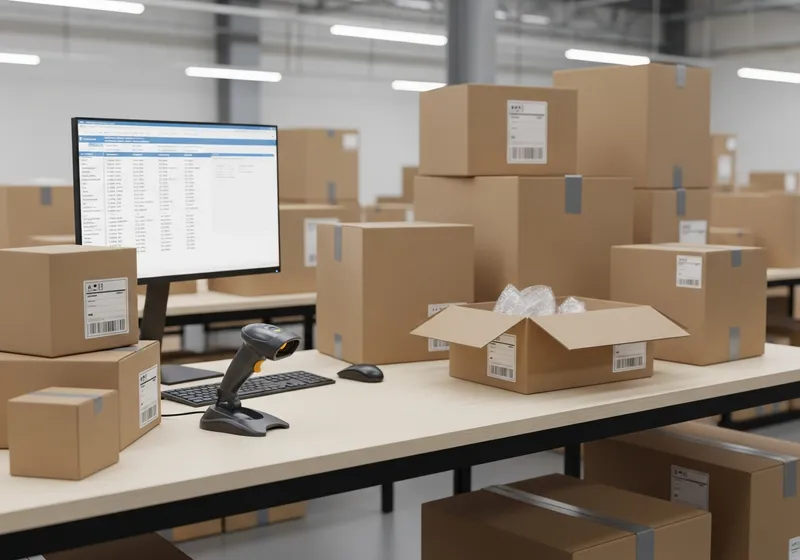
Real-time inventory tracking during order picking is just part of the value. Barcode scanners paired with pick-to-light create powerful workflows for inventory maintenance tasks that traditionally consume enormous labor hours.
Cycle Counting
A light module guides the worker to the next location that needs counting. The worker scans each item into the cycle count, which is then reconciled against the live inventory. Faster counts, more accurate results, and less disruption to daily operations.
Annual / Quarterly Inventory
Full physical inventories become significantly less painful when scan data is streaming into the system in real time rather than being tallied on paper and entered manually afterward.
Receiving and Putaway
Scan incoming items at the dock, confirm quantities against purchase orders, and scan again at the storage location to record putaway. The system knows exactly what arrived and where it went.
Returns Processing
Scan returned items to identify the original order, assess condition, and route them back to available inventory or to a disposition queue. Reduces the lag between return receipt and inventory restoration.
The result across all of these applications is the same: a more comprehensive, accurate view of true inventory. Fewer surprises during counts, fewer stockouts from phantom inventory, and fewer customer-facing errors from shipping items that aren't actually in stock.
How Scanners Work: It's Just a Keyboard
Here's the key insight that makes barcode scanners so easy to integrate: a barcode scanner connects to a PC, tablet, or mobile device and behaves exactly like a keyboard. When you scan a barcode, the scanner "types" the encoded characters into whatever field is active, just as if someone had typed them manually.
This means any system that accepts keyboard input — including spreadsheets, web applications, WMS terminals, and even simple text fields — can accept scanner input with zero additional programming. It's one of the reasons barcode scanning has become universal in warehousing.
Scanner Configuration Basics
Scanners can be configured (usually by scanning a special setup barcode) to either append an Enter key after each scan or not. Adding Enter is useful when each scan should trigger a form submission or system lookup.
The main question is: what characters should be in the barcode? The answer is typically whatever the pickers currently have difficulty entering — SKU numbers, location codes, lot numbers, or order IDs.
Some workflows add prefix or suffix characters to distinguish between different types of scans (e.g., location scan vs. item scan) so the system knows what kind of data it just received.
Barcode Formats and Best Practices
Not all barcodes are created equal. The format you choose affects scan reliability, data capacity, and compatibility with your existing systems.
Code 128 B (Recommended)
Other Common Formats
Simpler but less compact. Common in older systems.
Product identification barcodes. Not ideal for internal location codes.
2D format with high data capacity. Useful for encoding URLs, multi-field data, or linking to digital records.
2D format for small labels. Common in electronics and pharmaceutical applications.
For most warehouse operations, Code 128 B is the right default. It encodes everything you need, scans reliably at a distance, and works with every modern scanner on the market. For more on labeling your locations effectively, see our guide on creating good SKUs.
Combining Barcode Scanners with Pick-to-Light
When barcode scanning and light-directed picking work together, each technology amplifies the other. The lights tell the picker where to go; the scanner confirms what was picked.
What Pick-to-Light Adds
What Barcode Scanning Adds
Voodoo Robotics Cloud Display Devices
Voodoo's wireless Cloud Display Devices feature a full five-line display capable of showing custom barcodes, QR codes, direction arrows, hazard icons, picker names, and order details. Each device can light in one of thousands of colors, runs on two AAA batteries for a year or more, and mounts anywhere with magnets, screws, or double-sided tape.
Because the devices display scannable barcodes directly on screen, pickers can scan the device itself to confirm a location or trigger a transaction — no separate location labels required. This makes the system remarkably easy to deploy and reconfigure as your layout evolves.
Closed-Loop Scanning Workflows
The most powerful configuration combines both technologies into a closed-loop workflow: the system directs the pick, the picker confirms the pick, and the system validates before moving on. Nothing gets skipped, nothing gets assumed.
Light directs
A pick-to-light device illuminates at the target location, displaying the SKU, quantity, and order details.
Picker scans location
The picker scans the location barcode (or the barcode displayed on the device itself) to confirm they're at the right spot.
Picker scans item
The picker scans the item barcode to confirm the correct product is being pulled. The system checks the SKU against the order.
Put-to-light confirms
A display on the cart or put-wall illuminates, showing the picker exactly which tote or order slot to place the item in.
System advances
The pick is recorded, inventory is decremented, and the next pick-to-light device illuminates. The loop repeats.
This workflow eliminates the most common sources of mispicks: wrong location, wrong item, and wrong quantity. Every step is verified before the system moves forward. The result is measurable improvements in accuracy and a complete audit trail for every order. Learn more about how the integration works.
Barcode Picking Systems for Pick and Pack
- Barcode picking confirms the worker is at the right item, location, tote, or order.
- Pick-to-light tells the worker where to go or where to place the item.
- Together, scanning and lights reduce screen reading, walking confusion, and confirmation errors.
- For pick-and-pack workflows, scanners can start the order, verify each item, and close the carton or tote.
- For batch picking, scanners can confirm items while lights guide the correct cart slot or put-wall position.
Works with Your Existing Systems
Because barcode scanners act as keyboard input and Voodoo's devices communicate via cloud API, the combination integrates with virtually any system your operation already uses — without custom hardware or proprietary connectors. See our WMS pick-to-light integration guide for specifics.
See Barcode Scanning and Pick-to-Light Working Together
Combine the confirmation power of barcode scanning with the speed of light-directed picking. Book a demo to see the closed-loop workflow in action.