RFID Scanners for Warehouse Inventory Tracking
RFID scanners read radio-frequency tags attached to items, totes, or pallets — capturing serial numbers, lot numbers, IMEIs, and shipment IDs without line of sight. They're a precision tool for serialized and regulated tracking, not a replacement for the barcode scanners you use for everyday picking.
This guide covers what RFID scanners do well, where they fall short, and how to decide whether they belong in your operation. For day-to-day picking, locations, and SKU identification, see our companion guide on barcode scanners with pick-to-light.
Two Questions About Any Warehouse Scanner
1. What does it read?
Printed barcodes & QR codes, or RFID tags. Two different technologies, read by two different devices.
2. How does it connect?
Wired (corded) or wireless. A wireless scanner is often called an "RF scanner" or "WiFi scanner."
RF is not RFID. RF (radio frequency) describes the wireless connection; this page is about RFID (radio-frequency identification) — a tag technology read by a dedicated reader. Same root words, completely different things: an "RF scanner" is usually a wireless barcode scanner, while an RFID scanner reads radio tags.
What Is an RFID Scanner?
RFID stands for Radio-Frequency Identification. An RFID scanner (also called a reader or interrogator) uses radio waves to query small tags affixed to items, packaging, totes, or pallets. Each tag responds with a unique identifier and, depending on the tag type, additional stored data. Unlike a barcode scanner, an RFID reader doesn't need line of sight — it can read tags through cardboard, plastic, and even multiple items at once.
The two main flavors are passive RFID (tags powered by the reader's radio energy — cheap, short range, no battery) and active RFID (battery-powered tags with longer range and more data, used for high-value asset tracking). Most warehouse RFID deployments use passive UHF tags because they balance cost and read range well enough for case-, pallet-, and item-level tracking.
No Line of Sight
Reads tags inside boxes, totes, and stacks — even when you can't see the tag itself
Batch Reads
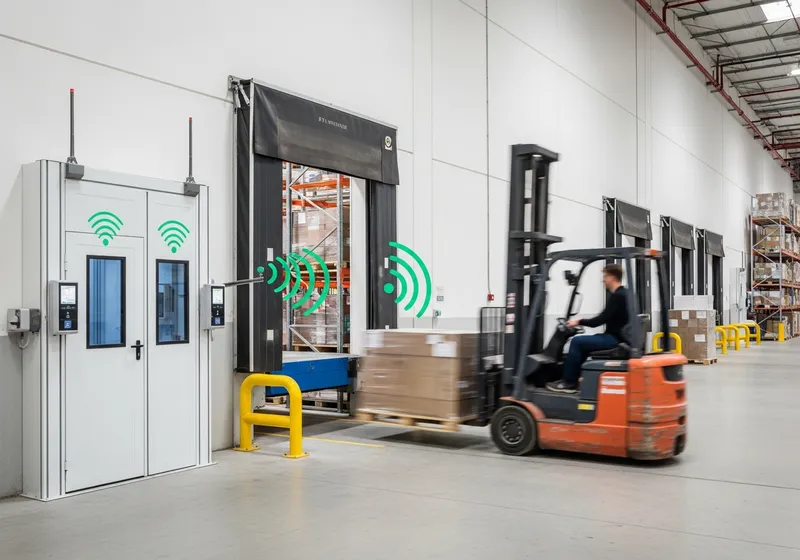
Captures dozens or hundreds of tags simultaneously as inventory moves through a portal
Unique Per Item
Every tag carries a unique ID, enabling true item-level traceability for serialized goods
When RFID Scanners Make Sense
RFID isn't a wholesale replacement for barcodes. It's a precision tool for specific tracking jobs — serialized items, regulated lot tracking, batch reads at portals, and recoverable assets.
Serial Number Tracking
High-value goods like power tools, medical devices, or appliances often need per-unit tracking through receiving, storage, and outbound. An RFID tag tied to the serial number lets you confirm exactly which unit went into which order — without a picker squinting at a tiny printed label.
Common in: Tools, appliances, medical devices
IMEI / Device Tracking
Smartphones, tablets, and other electronics carry IMEI or MEID identifiers that must be captured at multiple touchpoints. RFID tags applied at the manufacturer or receiving dock let you batch-scan an entire pallet through a portal reader instead of unboxing every unit.
Common in: Phones, tablets, IoT hardware
Lot and Expiration Tracking
Pharmaceuticals, food, cosmetics, and chemicals require lot-level traceability for compliance, recall response, and FEFO (first-expired, first-out) picking. RFID tags carry the lot number and expiration date in a form that's read instantly without manual barcode lookup.
Common in: Pharma, food, cosmetics, chemicals
Shipment & Pallet IDs
Outbound pallets and shipping containers can be tagged with shipment IDs that read automatically as they cross a dock door. The system records who shipped what and when — no clipboard, no manual scan, no missed pallet.
Common in: Dock-door read portals, container tracking
Returnable Asset Tracking
Reusable totes, pallets, and dollies often disappear into customer or supplier networks. An RFID tag lets you track who has them, how long, and where they've been — recovering assets that would otherwise be written off.
Common in: Returnable totes, pallets, dollies
Cycle Counts at Scale
A handheld RFID reader can sweep a section of racking and read every tagged item in seconds. For operations where every SKU is tagged, cycle counts that used to take hours can shrink to minutes — though the per-tag cost limits this to higher-value SKUs in practice.
Common in: Apparel retail, high-density storage
RFID Scanners vs Barcode Scanners
Most warehouses use both. Barcodes handle the high-volume, low-cost identification work — picking locations, SKUs, UPCs, order numbers, totes. RFID handles the cases where you need to know exactly which unit something is, or capture data on items you can't see or can't easily handle one at a time.
| Capability | Barcode Scanner | RFID Scanner |
|---|---|---|
| Cost per label/tag | Fractions of a cent | $0.05–$5+ per tag |
| Line of sight required | Yes | No |
| Reads at distance | 1–10 ft typical | Up to 30+ ft (UHF passive) |
| Batch reads | One at a time | Hundreds simultaneously |
| Identifies bin / location | Excellent | Overkill — and tag cost adds up |
| Identifies SKU / UPC | Excellent | Possible but rarely cost-effective |
| Tracks individual unit serial | Possible with serialized barcodes | Native — every tag is unique |
| Works through cardboard / plastic | No | Yes |
| Works near metal or liquids | Yes | Degraded — needs special tags |
For most warehouses, the right answer is barcode scanners for picking and RFID layered on top of specific high-value or regulated SKUs. If you're still building out scanning infrastructure, start with the barcode scanner guide — it covers the foundation that RFID extends.
Limitations to Know Before You Commit
RFID is powerful in the right context, but it's not a drop-in upgrade from barcoding. Three things to weigh before you scope a deployment:
Tag cost adds up fast
A printed barcode label costs a fraction of a cent. A passive UHF RFID tag runs $0.05–$0.50 in volume, with on-metal or special-environment tags costing several dollars each. Tagging every SKU in a 50,000-line warehouse can dwarf the cost of the readers themselves.
Metal and liquid interfere with reads
Standard RFID tags don't read reliably when applied directly to metal cans, liquid-filled containers, or tightly stacked metallic shelving. Specialty 'on-metal' tags exist but are significantly more expensive. This is why RFID is rarely used for canned-good or fluid-product warehouses.
Not the right tool for bin location identification
Tagging every shelf, bin, and rack location with an RFID tag is wildly more expensive than a printed barcode label and offers no real upside. For location identification — the foundation of any picking workflow — barcodes are the right answer every time.
Stray reads need filtering
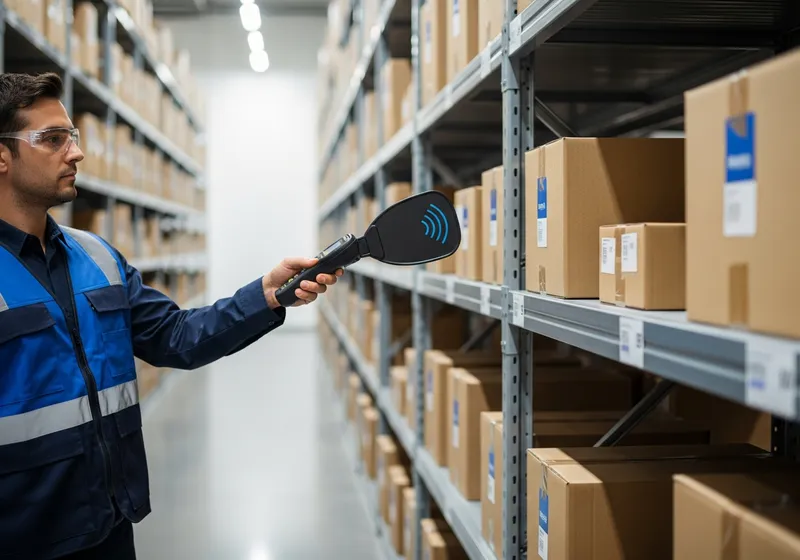
A handheld RFID reader can pick up tags on items in adjacent racks, totes on a pass-by cart, or pallets on the next aisle over. Workflows have to filter for intended reads, which adds software complexity that barcode scanning doesn't have.
Pairing RFID with Pick-to-Light
In a typical mixed deployment, wireless pick-to-light directs the picker to the right location, a barcode scan confirms the location and SKU, and an RFID read captures the unique serial, lot, or IMEI for the unit being picked. The light handles speed and guidance; barcodes handle ubiquity; RFID handles serialized traceability.
A common workflow pattern
- 1. Light directs. The pick-to-light device illuminates at the bin holding the right SKU.
- 2. Barcode confirms location and SKU. Picker scans the bin barcode, then the SKU barcode on the item.
- 3. RFID captures the serial. An RFID read records the unique tag — IMEI, serial number, or lot — for the specific unit going into the order.
- 4. Put-to-light directs placement. A display on the cart or put wall shows which order slot to drop the item into.
- 5. System binds it all. The order line, SKU, location, serial, and tote are tied together in the WMS audit trail.
The result is a pick that's fast, verified, and individually traceable — without forcing pickers to type a single character. Voodoo's REST API integration accepts barcode and RFID input from any source, so you can layer this on top of existing scanner infrastructure without ripping anything out.
Talk Through Your Tracking Requirements
Whether you need barcode scanning, RFID tracking, or both layered together, we can help you scope what makes sense for your operation. Book a demo and walk through your specific use cases.