The 2027 Buyer's Guide to Pick-to-Light & Put Walls
How to choose, size, price and test a pick-to-light system, plus 20 questions to ask every vendor. Written for the person who has to recommend a system and defend the choice.
Get the free guide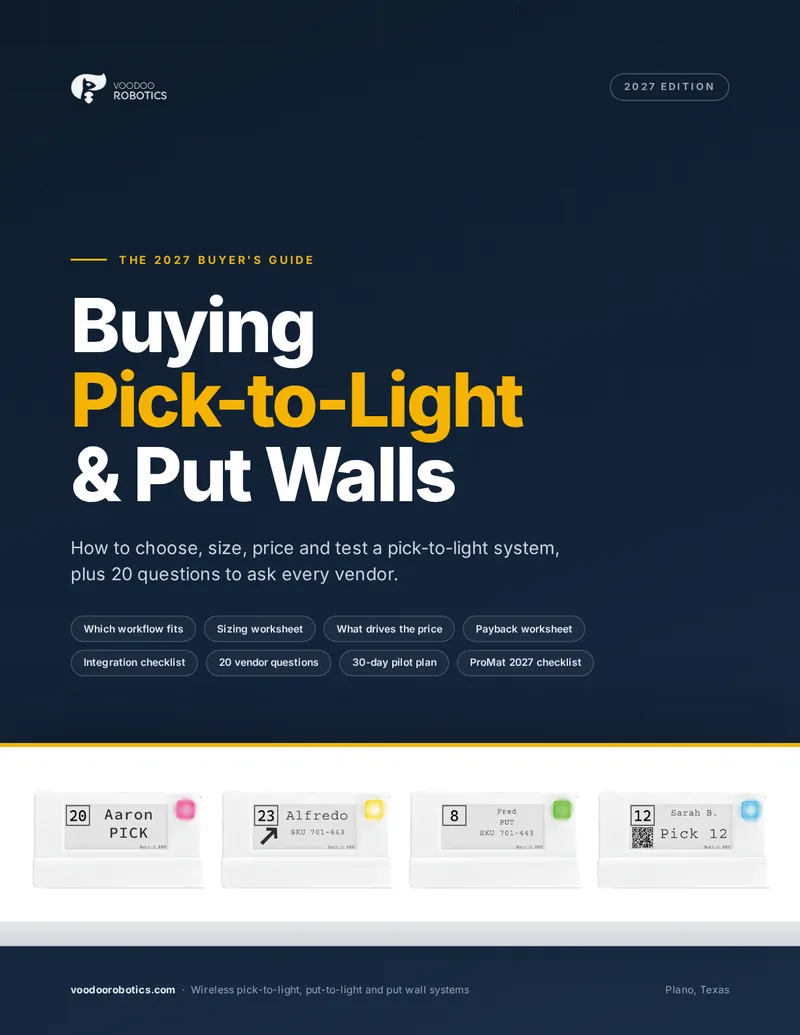
- A decision chart for choosing the right workflow, zone by zone
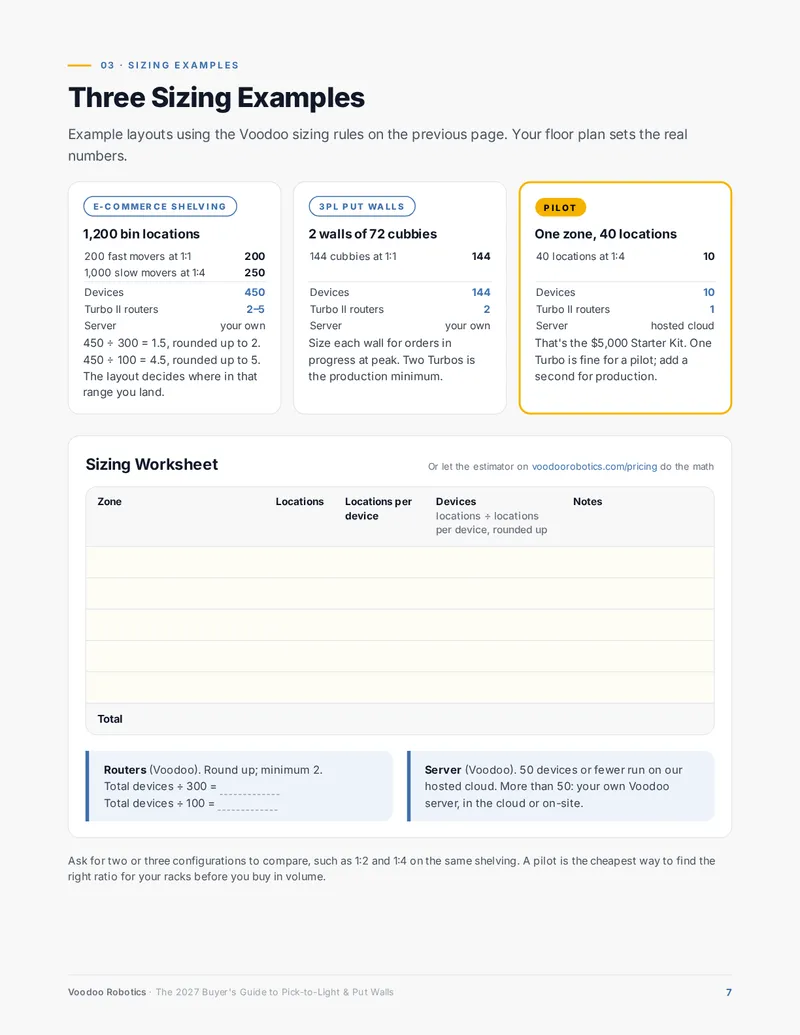
- A sizing worksheet and three sizing examples
- What drives the price, and the costs that hide in quotes
- A payback worksheet that uses your own numbers
- 20 vendor questions, a scorecard and a 30-day pilot plan
Get the free guide
Download it right away. Only your work email is required.
From Choosing a Workflow to Running a Pilot
Most of the guide applies to any vendor. Voodoo Robotics wrote it. We make wireless pick-to-light systems, and anything about our own products is clearly marked. New to the idea? Start with what pick-to-light is and how it works; this guide picks up where that leaves off.
Choose the workflow
A one-page decision chart for pick-to-light, put walls, pick-to-cart, kitting and pack-to-light, plus the signs a zone is ready for lights.
How a system fits together
Display devices, routers, software and integration, and how they work together, wired or wireless.
Size the system
Four steps from location count to devices and routers, three sizing examples and a worksheet.
What it costs
The six things that move the price, wired vs. wireless side by side, and the costs that hide in quotes.
Estimate payback
Three formulas and a worksheet, and where to get the real number for each input.
Integration
Eight questions IT should answer before you buy, and the connectors that already exist.
Ask every vendor
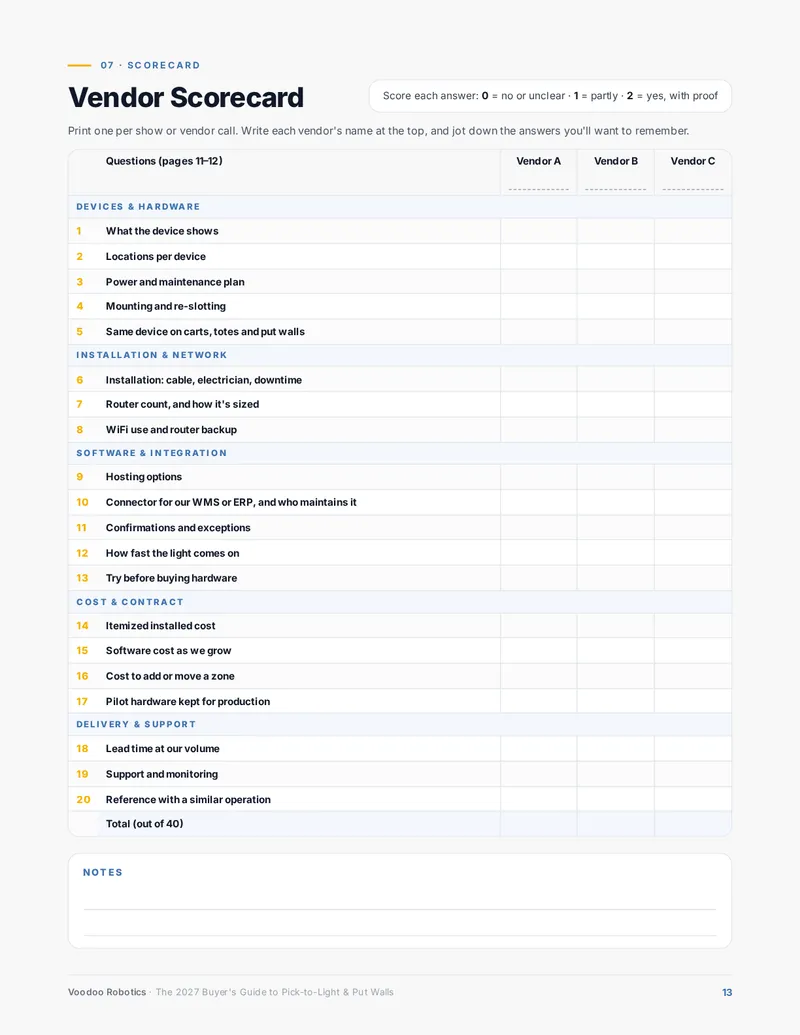
20 questions, why each one matters, and a scorecard for comparing up to three vendors.
Run a 30-day pilot
A week-by-week plan, five things to measure before and after, and a sign-off checklist.
ProMat 2027 checklist
What to do before, at and after the show (April 19–21, McCormick Place, Chicago).
Worksheets You Can Actually Use
Print the pages you need for a planning meeting or a trip to the show. Every link in the PDF is live.
Five of the 20 Questions to Ask Every Vendor
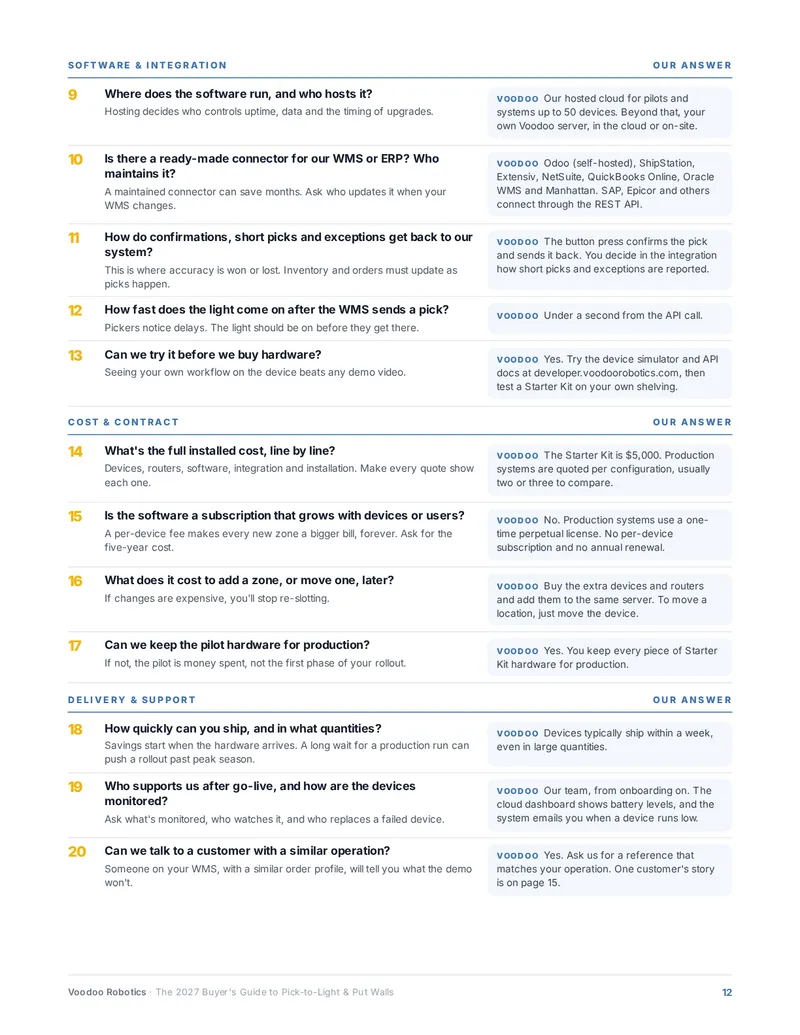
Ask every vendor the same questions, in the same order, and write down the answers. The full list covers hardware, installation, software, integration, cost and support. It comes with a scorecard and our own answers for comparison.
- 2
How many locations can one device cover?
This sets the device count, and the price, more than anything else. With directional arrows, one device can point to as many as eight neighboring locations, so two vendors can quote the same building very differently.
- 7
How many routers or controllers will we need, and why?
Routers can add real cost to a quote. Ask how the vendor sizes them, and what happens if one goes offline.
- 15
Is the software a subscription that grows with devices or users?
A per-device fee makes every new zone a bigger bill, forever. Ask for the five-year cost, not just the first year.
- 18
How quickly can you ship, and in what quantities?
Savings start when the hardware arrives. A long wait for a production run can push a rollout past peak season.
- 20
Can we talk to a customer with a similar operation?
Someone on your WMS, with a similar order profile, will tell you what the demo won't.
Rather talk it through?
Twenty minutes with an engineer, or a quote for your configuration by email. Bring the six facts from page 2 of the guide and we'll run the numbers with you.
Book a 20-minute call
Pick a time that suits you. We'll look at your pick zones, talk through arrows and device counts, and tell you if a Starter Kit makes sense.
- Your pick zones, SKU mix and order profile
- The arrows ratio that fits your shelving — 1:1, 1:4 or 1:8
- Whether a Starter Kit pilot or a full quote is the right next step
- How the devices talk to your WMS, ERP or Odoo
Prefer email or phone? info@voodoorobotics.com · 972-914-8758