Pick-to-Light for Oracle NetSuite WMS
NetSuite pick-to-light with nothing to license and no middleware to run: Voodoo's free, open-source SuiteScript reads the Pick Tasks that NetSuite WMS creates when a wave is released and lights battery-powered wireless display devices at each bin — quantity, item, lot and picker color — then receives the confirmations back through a RESTlet. It ships as ten deployable SuiteScript 2.1 files and an optional Python adapter, with a dry-run mode so a single developer can prove the whole loop before a device is mounted. The hardware is described on the pick-to-light system page.
How NetSuite Pick Tasks Light the Warehouse
The integration follows NetSuite's own outbound model rather than fighting it: releasing work through a Wave generates Pick Tasks, a Map/Reduce script dispatches them, and the devices light. You choose between two architectures with one deployment parameter, and the smaller one is usually enough.
A wave is released
NetSuite WMS creates Pick Tasks. A customer-owned Pick Task saved search — mapped by result labels you control, never by undocumented field IDs — selects the tasks to light. A SuiteScript Map/Reduce dispatches them, or a wave-release trigger does it the moment the wave goes out.
Direct mode or adapter mode
In direct mode, SuiteScript calls the Voodoo API itself through N/https, with credentials held as NetSuite API Secrets rather than plaintext parameters — the smallest, lowest-latency design. In adapter mode, NetSuite calls the included Python FastAPI adapter when you want persistent duplicate protection, editable YAML mappings, callbacks history or full Voodoo Orders.
Display devices light, pickers confirm
Each Pick Task lights the device at its bin — by exact Device ID or a Voodoo Location Alias — with quantity, item, lot or serial, and the picker's color. A custom SCM Mobile action can light a location immediately from the handheld as well. The picker presses the button to confirm.
Confirmations come back through a RESTlet
Device acknowledgments and order events land in a NetSuite RESTlet that writes customer-defined callback audit records. By design it stores the feedback and leaves completing Pick Tasks or creating Item Fulfillments to your own inventory and exception rules.
What You Need
A NetSuite administrator and one developer — SuiteScript experience helps but is not required; the repository was written to be explored without a live account.
- NetSuite with the WMS module (waves, Pick Tasks, and optionally SCM Mobile). The scripts deploy into your own account — there is no SuiteApp to install from the marketplace and no bundle dependency.
- Permission to deploy SuiteScript 2.1 files (Map/Reduce, Workflow Action, Suitelet, RESTlet, mobile action) and to create API Secrets for the Voodoo credentials.
- For adapter mode only: a small Linux host for the Python FastAPI adapter, with OAuth 2.0 client-credentials (certificate-backed JWT) for unattended adapter-to-NetSuite calls. The Ubuntu install script and systemd service are included.
- Voodoo wireless display devices and a Turbo II router, connected to a Voodoo server — our cloud or your own. The $5,000 Starter Kit covers ten devices, one Turbo and a year of cloud service for a first zone.
What the Picker Sees
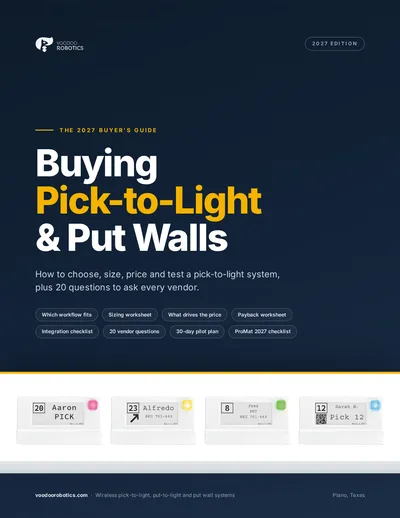
Each Pick Task is a command to the device covering that bin. Seven editable YAML/JMESPath mapping profiles decide what appears:
- ●Item and quantity with units, plus lot, serial or inventory status when the task carries them.
- ●Pick Task and Wave identifiers, or order and shipment numbers, on the five display lines — whichever your pickers need to see.
- ●The picker's color, so several pickers can work one zone from one wave.
- ●A barcode or QR code when you want a scan as well as a button press, and an arrow when one device serves several bins.
- ●Dry-run: every command can be previewed without lighting hardware, so display formatting is settled before go-live.
Try the display device layouts yourself in the device simulator, or read how the hardware works on the wireless pick-to-light page.
Where NetSuite Pick-to-Light Fits
NetSuite WMS is where a great many growing companies run their warehouse, usually with a small IT team. The integration was written for exactly that team.
Mid-market distributors on NetSuite ERP + WMS
Waves, multi-bin picking, lot control. The lights replace paper or RF-only picking at the bins where most of the labor goes, without changing how NetSuite plans the work.
Companies replacing a legacy wired system
Old wired pick-to-light tied to a WMS you have since left behind. Wireless display devices mount on the existing shelving in a day, and the NetSuite scripts drive them from the same Pick Tasks.
Operations that need to prove it first
Dry-run commissioning, a restricted Suitelet for testing, and a Starter Kit on one zone: the whole flow can be demonstrated to a warehouse manager before anyone commits to a floor-wide rollout.
NetSuite Pick-to-Light Questions
Is this a SuiteApp from the NetSuite marketplace?+
No. It is open-source SuiteScript you deploy into your own account, plus an optional Python adapter. There is nothing to buy from the marketplace and no bundle to install; you own and can modify every script.
Do I need middleware between NetSuite and the display devices?+
Not in direct mode. SuiteScript calls the Voodoo API straight from NetSuite through N/https, with credentials in API Secrets. The Python adapter is optional and only worth running when you want persistent de-duplication, editable YAML mappings, callback history or full Voodoo Orders.
Does it work with NetSuite's SCM Mobile app?+
Yes. A custom SCM Mobile action lights a location immediately from the handheld, alongside the batch dispatch from Pick Task saved searches and wave release.
Can I explore it without a NetSuite sandbox or a device?+
Yes. The repository was written to be read and run without a live NetSuite account or Voodoo hardware, and dry-run mode previews every device command so display and targeting changes are proven safely before anything lights up.
What happens when a picker presses the button?+
The acknowledgment is received by a NetSuite RESTlet and stored in a callback audit record. The integration deliberately does not complete Pick Tasks or create Item Fulfillments on its own; those steps follow your inventory and exception rules, which you add in the RESTlet.
What does NetSuite pick-to-light cost?+
The integration code is free under the MIT license. Hardware starts with the $5,000 Proof-of-Concept Starter Kit — ten devices, a Turbo II router, a year of cloud service, integration support and onboarding — and larger systems are quoted per configuration.
See pick-to-light pricing →NetSuite Integration Resources
Ten SuiteScript 2.1 files, the Python adapter and seven mapping profiles.
A minimal Suitelet for lighting a device from NetSuite.
Architecture choices, authentication and what ships in the box.
Device commands, Location Aliases and the Orders lifecycle.
Other ready-made integrations: Odoo · ShipStation · Extensiv 3PL Warehouse Manager · QuickBooks Online · all WMS pick-to-light integrations
See a Pick Task light a bin
Book twenty minutes and we'll show the NetSuite loop end to end with your workflow in mind — or send your bin count and we'll quote the devices. One zone on a Starter Kit is the usual first step.
Book a 20-minute call
Pick a time that suits you. We'll look at your pick zones, talk through arrows and device counts, and tell you if a Starter Kit makes sense.
- Your pick zones, SKU mix and order profile
- The arrows ratio that fits your shelving — 1:1, 1:4 or 1:8
- Whether a Starter Kit pilot or a full quote is the right next step
- How the devices talk to your WMS, ERP or Odoo
Prefer email or phone? info@voodoorobotics.com · 972-914-8758
NetSuite Plans the Wave. The Lights Run It.
Deploy the open-source SuiteScript, prove it in dry-run, mount the devices, and the next wave you release lights the floor.