Pick-to-Light for QuickBooks Online
Pick-to-light for the thousands of product businesses that run entirely on QuickBooks Online. Voodoo's free, open-source adapter listens for Intuit's signed webhooks and, the moment an invoice is created, lights battery-powered wireless display devices at the bins that hold each line item — quantity, SKU and picker color, on display devices that mount with magnets. QuickBooks stays your accounting system of record; a simple spreadsheet you own maps items to bins and devices; and no warehouse management system is needed in between. See the pick-to-light system page for the hardware.
How a QuickBooks Invoice Lights the Warehouse
QuickBooks events describe accounting entities, not pick tasks — so the adapter keeps the warehouse relationship in a file you own and never pretends QuickBooks is a WMS. The default workflow is deliberately simple; six more are one line each to switch on.
An invoice is created
Intuit sends a signed webhook. The adapter validates it with HMAC-SHA256 against the exact raw body, queues the event durably, and acknowledges immediately, as Intuit requires — then processes in the background with retries, duplicate protection and out-of-order tolerance.
Lines resolve through your bin map
The adapter retrieves the complete invoice and looks up each line in a customer-owned CSV that maps a QuickBooks item ID, SKU or name to a warehouse, bin, Voodoo device ID or Location Alias, receiving location, barcode and company. Unmapped items follow a rule you set.
The bins light
Each mapped line becomes a direct device command: five display lines, quantity, color, sound, flash duration, barcode or QR code, arrows and icons. One device can cover up to eight bins. The picker takes the quantity and presses the button.
Confirmation — without touching the books
Acknowledgments, button events, NACKs and timeouts come back to the adapter, which keeps a persistent callback history and can forward events to your own middleware. By design, a button press never alters an accounting transaction; what a confirmation should do in QuickBooks is your decision.
What You Need
A small business can run this with one technically comfortable person; the repository includes the install script and the service definition.
- QuickBooks Online Plus or Advanced — the editions with inventory tracking. Simple Start and Essentials do not track inventory items and are not supported.
- An Intuit developer app for OAuth 2.0. The adapter includes the full authorization-code flow, token refresh with rotation, realm allow-listing and encrypted token storage.
- A small Ubuntu host (on premises or cloud) with a public HTTPS address for Intuit's webhooks. The repository ships an installation script, a hardened systemd service, health and readiness endpoints and SQLite event history.
- Voodoo wireless display devices and a Turbo II router, connected to a Voodoo server — our cloud or your own. The $5,000 Starter Kit covers ten devices, one Turbo and a year of cloud service: with arrows, ten devices can serve up to 80 bins.
What the Picker Sees
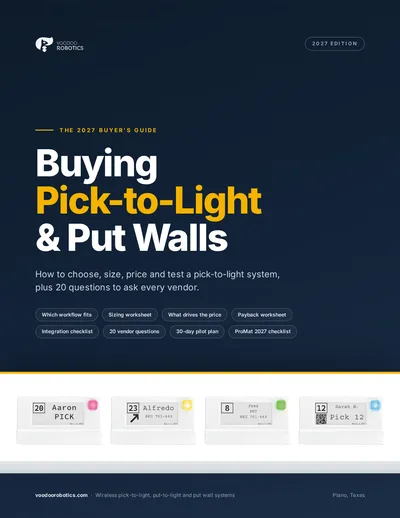
Each invoice line becomes a lit device at the bin your map assigns it, showing:
- ●The item name or SKU and the quantity invoiced, in large type.
- ●Colors, sounds and flash duration you set per workflow in one editable YAML file — a sales receipt can look different from an invoice.
- ●A barcode or QR code for the item, drawn from your bin map, when you want a scan.
- ●An arrow when a device covers several adjacent bins.
- ●The confirmation button. With the optional Voodoo Orders path, one invoice becomes one order with item, shipment and order completion tracked.
Try the display device layouts yourself in the device simulator, or read how the hardware works on the wireless pick-to-light page.
Who Runs Pick-to-Light From QuickBooks
This is for operations that are too small for a WMS and too busy for paper — where an invoice in the office should mean a lit shelf in the back within seconds.
Product businesses run from QuickBooks
Distributors, parts suppliers and makers who invoice in QuickBooks and pick from a few hundred bins. Invoice-created lighting is on by default; everything else is optional.
Ecommerce sellers using QuickBooks inventory
Orders flow into QuickBooks as sales receipts; switch on the Sales Receipt rule and they light the shelves the same way. Accepted estimates can trigger picks for made-to-order work.
Receiving and putaway too
The Purchase Order receiving rule lights the receiving location, and a low-stock rule raises an exception on the device — the same devices run put-to-light and replenishment, not just picking.
QuickBooks Online Pick-to-Light Questions
Is QuickBooks Online a warehouse management system?+
No, and the adapter does not pretend it is. QuickBooks stays the accounting system of record. The warehouse relationship — which item lives in which bin on which device — lives in a CSV file you own, outside QuickBooks, because QuickBooks events describe invoices and receipts, not pick tasks.
Which QuickBooks editions work?+
QuickBooks Online Plus and Advanced, the editions with inventory tracking. Simple Start and Essentials are not supported. QuickBooks Desktop is a different product with no webhooks and is not covered by this adapter.
What can trigger the lights besides an invoice?+
Seven workflows ship in one YAML file: invoice created (on by default), sales receipt, accepted estimate, purchase-order receiving and putaway, low-stock exception alerts, one Voodoo Order per invoice, and automatic abort or delete when an invoice is voided or deleted.
Does pressing the button change anything in QuickBooks?+
No. By design the adapter never automatically alters an accounting transaction when a worker presses a button. It records the confirmation, keeps a callback history and can forward the event to your own middleware; what happens next in QuickBooks is a workflow decision you make.
How is it secured?+
Intuit webhooks are validated with HMAC-SHA256 against the raw body; OAuth tokens are encrypted at rest; realms are allow-listed; adapter routes are protected by API-key, bearer or HTTP Basic credentials with separate callback credentials; TLS is configured and verified. No real credentials ship in the repository.
What does QuickBooks pick-to-light cost?+
The adapter is free and open source under the MIT license. Hardware starts with the $5,000 Proof-of-Concept Starter Kit — ten devices, a Turbo II router, a year of cloud service, integration support and onboarding — and larger systems are quoted per configuration.
See pick-to-light pricing →QuickBooks Online Integration Resources
Webhook adapter, OAuth flow, seven YAML workflows and the CSV bin map format.
The full feature list and the reasoning behind the design.
Direct device commands and the Orders lifecycle the adapter uses.
The same devices direct receiving and replenishment.
Other ready-made integrations: Odoo · ShipStation · Extensiv 3PL Warehouse Manager · NetSuite WMS · all WMS pick-to-light integrations
Light your bins from your next invoice
Book twenty minutes and we'll create a test invoice and light a device while you watch — or tell us how many bins you pick from and we'll quote it.
Book a 20-minute call
Pick a time that suits you. We'll look at your pick zones, talk through arrows and device counts, and tell you if a Starter Kit makes sense.
- Your pick zones, SKU mix and order profile
- The arrows ratio that fits your shelving — 1:1, 1:4 or 1:8
- Whether a Starter Kit pilot or a full quote is the right next step
- How the devices talk to your WMS, ERP or Odoo
Prefer email or phone? info@voodoorobotics.com · 972-914-8758
An Invoice in the Office. A Lit Shelf in the Back.
Run the free adapter, map your items to bins in a spreadsheet, and QuickBooks starts directing picks — no WMS, no wiring, no monthly software fees.